
Fibre between buildings in the UK
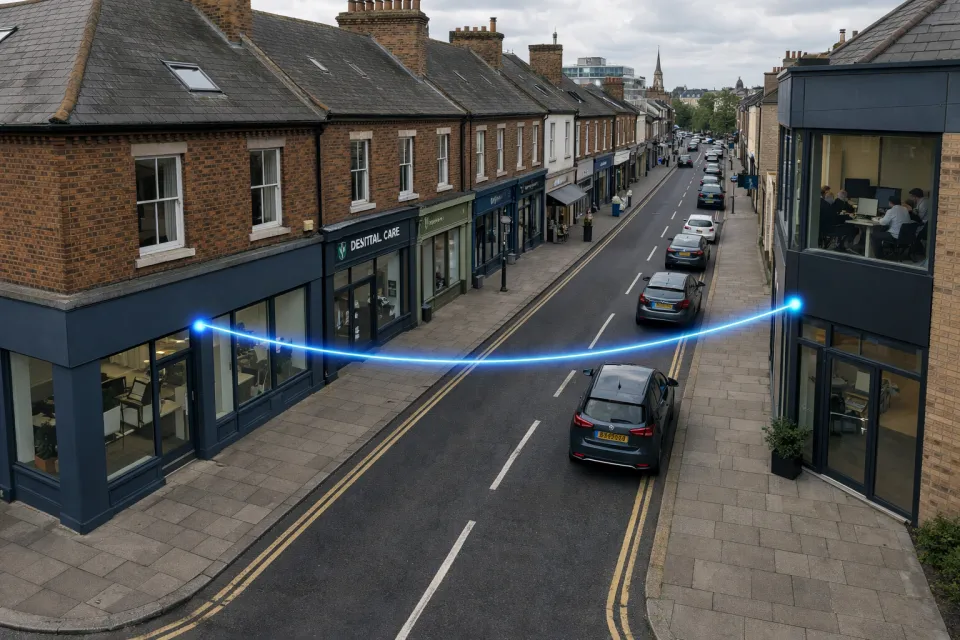
Many organisations end up spread across more than one building: an office across the road, a warehouse further along the industrial estate, a school with a separate sports hall, a farm with outbuildings, or a caravan park with a reception block at one end and a workshop at the other. Sooner or later, those buildings need to share one network: the same internet connection, phone system, CCTV, Wi-Fi and file servers.
There are three common ways to link them: copper Ethernet cable (usually CAT6), a microwave or wireless point-to-point link, or fibre. This guide explains why fibre is almost always the best long-term answer, and how Openreach Physical Infrastructure Access (PIA) makes fibre practical even when there is a public road in the way.
Why not just run CAT6 between the buildings?
CAT6 is the right cable inside a building. Between buildings, it runs into some hard limits.
- 100 metres is the ceiling. Structured cabling standards limit an Ethernet channel to 100 m, including patch leads. Once you allow for the route up walls, through ceilings and to each comms cabinet, many "50 m apart" buildings are already beyond reach.
- 10 Gbps is even shorter. 10GBASE-T over CAT6 is only specified to around 55 m. If you want headroom for future growth, copper runs out quickly.
- Copper conducts electricity. Two buildings usually have separate electrical supplies and earthing. Linking them with copper can create earth loops and lets surges from nearby lightning strikes or electrical faults travel between buildings. Burnt-out switch ports at both ends are a common sign of this. This is why cabling standards recommend optical fibre for links between buildings.
- Outdoor copper needs special cable and protection. Standard CAT6 is not designed for damp ducts, UV light or burial. External-grade cable and surge protection add cost and still don't make the link any faster or longer.
Why not use a microwave or wireless point-to-point link?
Wireless point-to-point links are quick to install and have their place, particularly for temporary sites or as a backup path. As the main link between two business buildings, they come with compromises:
- They need clear line of sight. Trees grow, scaffolding goes up and new buildings appear. A link that works perfectly on day one can degrade or fail when something changes between the two dishes.
- Weather affects performance. The higher-frequency bands that deliver multi-gigabit speeds, such as 60 GHz and 80 GHz, are the most affected by heavy rain. Links are usually designed to drop to a lower speed in bad weather rather than fail completely, but that still means less bandwidth exactly when the weather is at its worst.
- Alignment and interference. Masts and brackets move in strong wind, and licence-exempt bands such as 5 GHz can be congested by other nearby users, causing packet loss and jitter that show up as poor call quality and dropped video meetings.
- Mounting and permissions. Dishes need suitable mounting points at height, which can mean landlord consent, listed building issues or planning permission. Some bands also need an Ofcom licence.
- Capacity is fixed by the radio. To go faster, you replace the radios at both ends, and the maximum speed is still limited by the band and the distance.
Why fibre is the better option
A fibre link carries light, not electricity or radio waves, which removes most of the problems above.
- Distance: single-mode fibre with standard optics comfortably covers several kilometres, so buildings across the road, across a town centre or across a business park can all be linked directly.
- Capacity: the same strand of fibre can run at 1 Gbps today and 10 Gbps or 100 Gbps later. Upgrading means changing the optics at each end, not the cable.
- Reliability: fibre is unaffected by rain, fog, trees, radio interference or electrical noise. It just keeps working.
- Electrical isolation: glass doesn't conduct, so there are no earth loops and no path for surges between buildings.
- Security: there is no signal in the air to intercept, and the link is dedicated to you rather than shared with other customers.
- Longevity: correctly installed fibre lasts for decades, outliving several generations of network equipment.
| CAT6 copper | Wireless point-to-point | Fibre | |
|---|---|---|---|
| Maximum distance | 100 m (about 55 m at 10 Gbps) | Several km, line of sight only | Several km, no line of sight needed |
| Upgrade path | Limited by cable category | Replace radios | Change optics, keep the cable |
| Weather | Unaffected | Rain fade at higher frequencies | Unaffected |
| Interference | Electrical noise and surges | Radio interference and obstructions | Immune |
| Electrical isolation | No | Yes | Yes |
| Crossing a public road | Needs a duct or trench | Yes, if line of sight | Yes, via Openreach PIA |
The problem: getting fibre across the road
If both buildings are on your own land, you can usually lay a duct between them. The difficulty comes when there is a public road, pavement or someone else's land in between. Digging in the public highway means street works licences from the local highway authority, traffic management, reinstatement to the authority's standards and, often, months of lead time. For a link of a few hundred metres, the civil works can easily cost more than everything else put together.
This is where Openreach PIA comes in.
What is Openreach PIA?
Physical Infrastructure Access (PIA) is a regulated Openreach product that lets other network operators use Openreach's underground ducts and telegraph poles to install their own fibre cables. Openreach has the largest duct and pole network in the UK, built up over decades to carry telephone lines to almost every street and building.
Ofcom requires Openreach to give other operators access to this infrastructure so they can build competing fibre networks without digging new routes. That requirement was confirmed in Ofcom's Telecoms Access Review 2026–31, published in March 2026, and PIA is now the backbone of most alternative full-fibre networks in the UK.
How a PIA fibre link is built
- Route planning: we use Openreach's duct and pole records to find a route between your two buildings, normally using the same ducts that already bring telephone lines into each property.
- Survey: the route is surveyed to confirm the ducts are clear and have space for a new cable.
- Ordering: the route is booked with Openreach under PIA. If a section of duct is blocked or damaged, it may need to be cleared or repaired before the cable can go in.
- Installation: our fibre cable is pulled through the existing ducts, or run along the existing poles, between the two buildings.
- Termination and testing: the fibre is spliced and terminated at each end, then tested so you have a record of the link's performance from day one.
Why PIA is a good fit for fibre between buildings
- No digging in the road: the ducts already exist, so the link avoids most street works, road closures and reinstatement costs.
- Your own dedicated fibre: the cable carries only your traffic. It is not a shared broadband service and it is not contended with other customers.
- Lower ongoing cost: rather than paying a monthly rental for a managed Openreach circuit, such as an Ethernet Access Direct (EAD), the main cost is the build, plus a modest rental for the duct and poles used.
- Not limited to certain areas: unlike Openreach Dark Fibre Access, which is only available in specific Ofcom-defined areas, PIA can be used wherever there is a suitable Openreach duct or pole route.
- Your choice of service: we can deliver the link as a fully managed service, with equipment and monitoring included, or as a dark fibre handoff for your own IT team to light.
What to check before you start
- Both addresses and postcodes: these let us check the Openreach duct and pole route between the two buildings.
- Building access: most buildings already have a telephone lead-in duct that can be reused. If you lease the building, you may need the landlord's permission for the fibre to enter.
- Private land: if the route crosses land you don't own, such as a shared car park, a wayleave from the landowner may be required.
- Internal cabling: the fibre needs to reach a comms cabinet or switch in each building, so it helps to know where your equipment is located.
- Bandwidth and timescales: tell us what the link needs to carry, such as phones, CCTV, servers or Wi-Fi, and when you need it working.
Can fibre and wireless be used together?
Yes. For sites where downtime is costly, a wireless point-to-point link makes a good secondary path alongside fibre. The fibre carries traffic day to day, and the wireless link takes over automatically if the fibre is ever damaged. For more on designing networks that keep working, see our guide to true network resiliency.
What if there is no Openreach route between my buildings?
Some rural or private sites don't have a usable Openreach route. In that case we can look at a short private duct, an overhead cable on new poles, or a wireless link. The right answer depends on the distance, the land involved and how critical the connection is.