
How to register Yealink DECT Handsets to the Yealink W70B
Follow these steps to pair a Yealink DECT handset with a Yealink W70B base station.
-
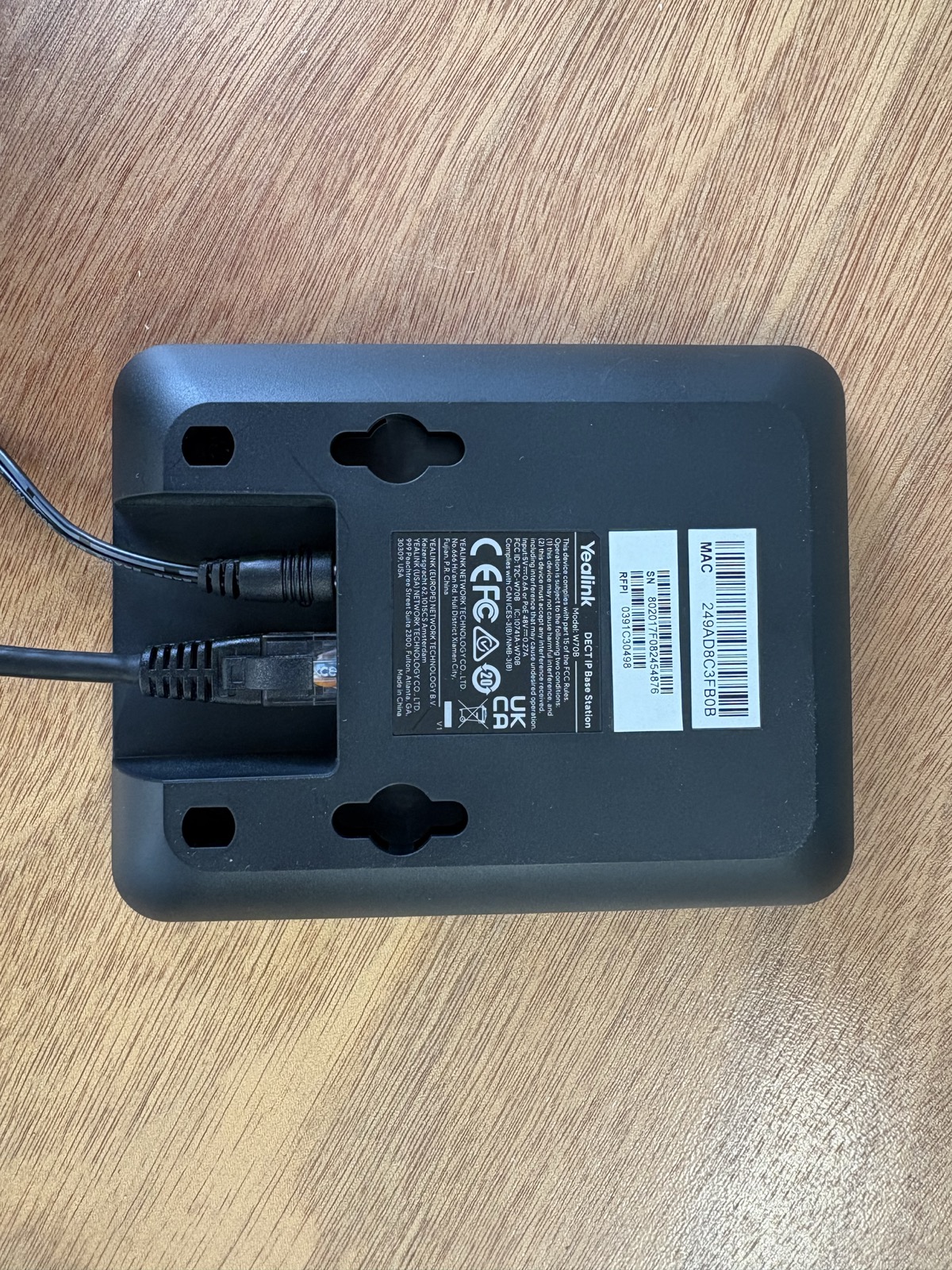
Plug in the W70B base
Connect the network cable and power cable to the back of the W70B.
-
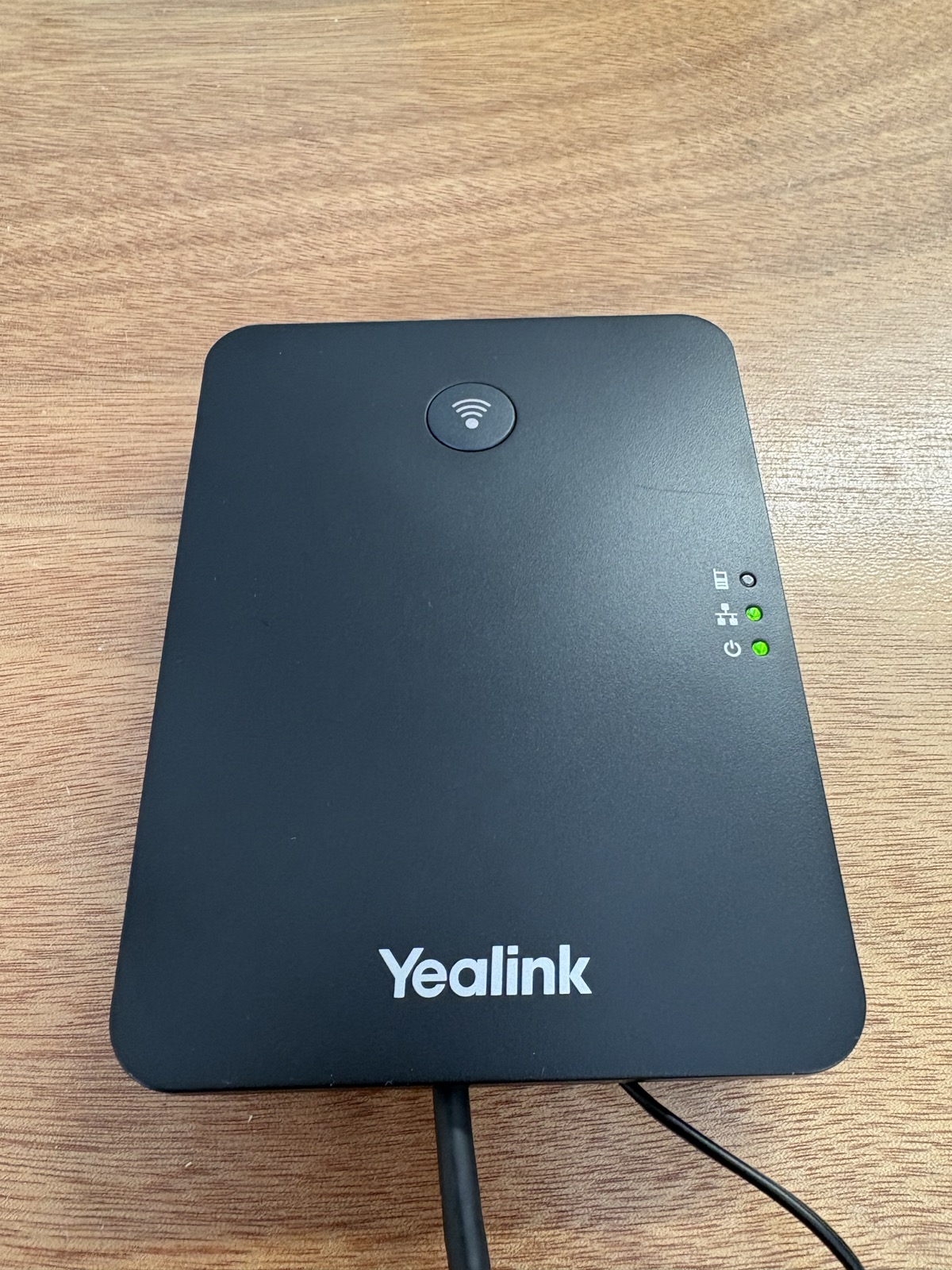
Wait for the lights
Give the base around 2 minutes to start up. The lights should settle.
-
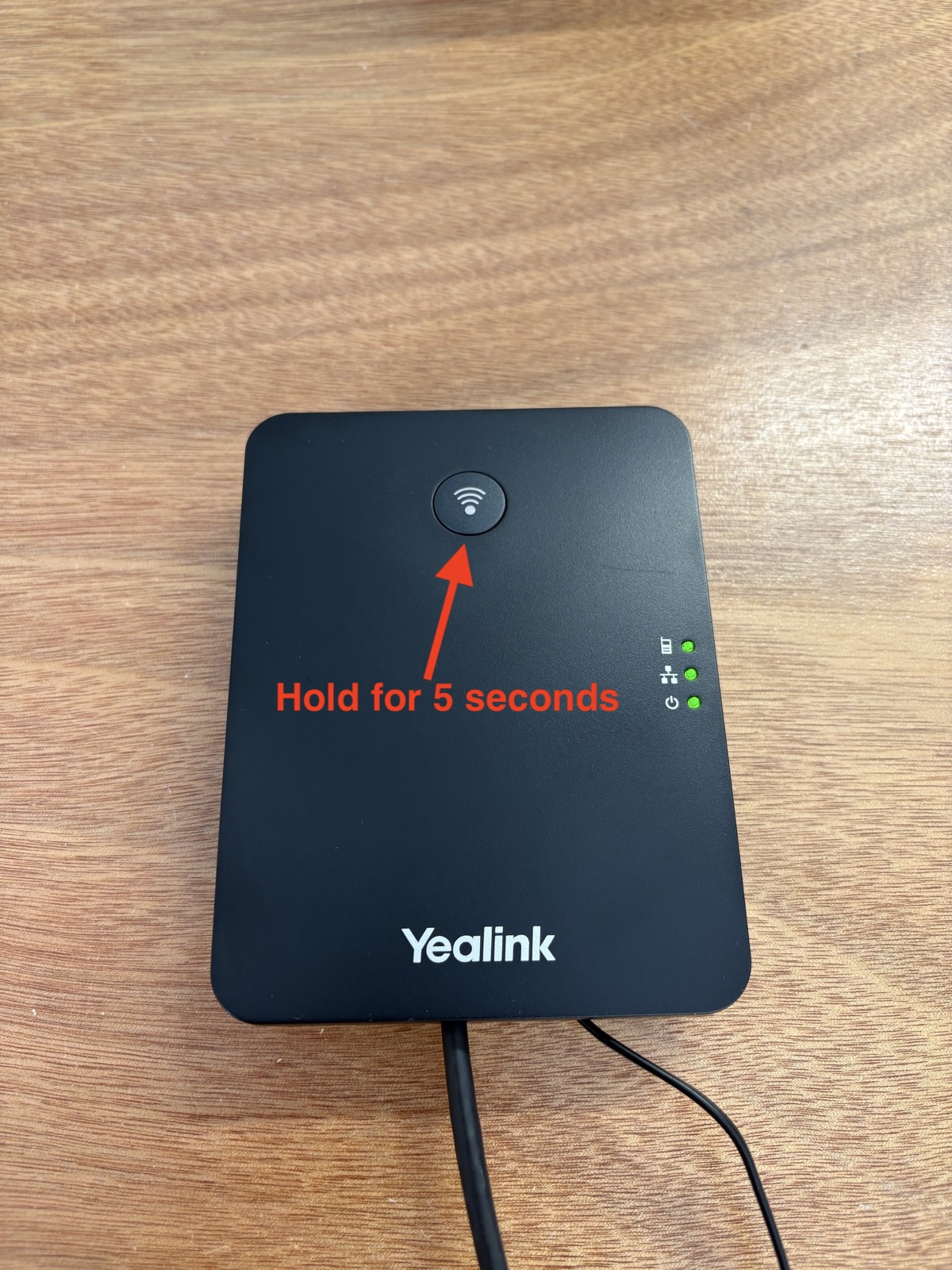
Put the base in registration mode
Hold the paging button on the W70B for 5 seconds.
-
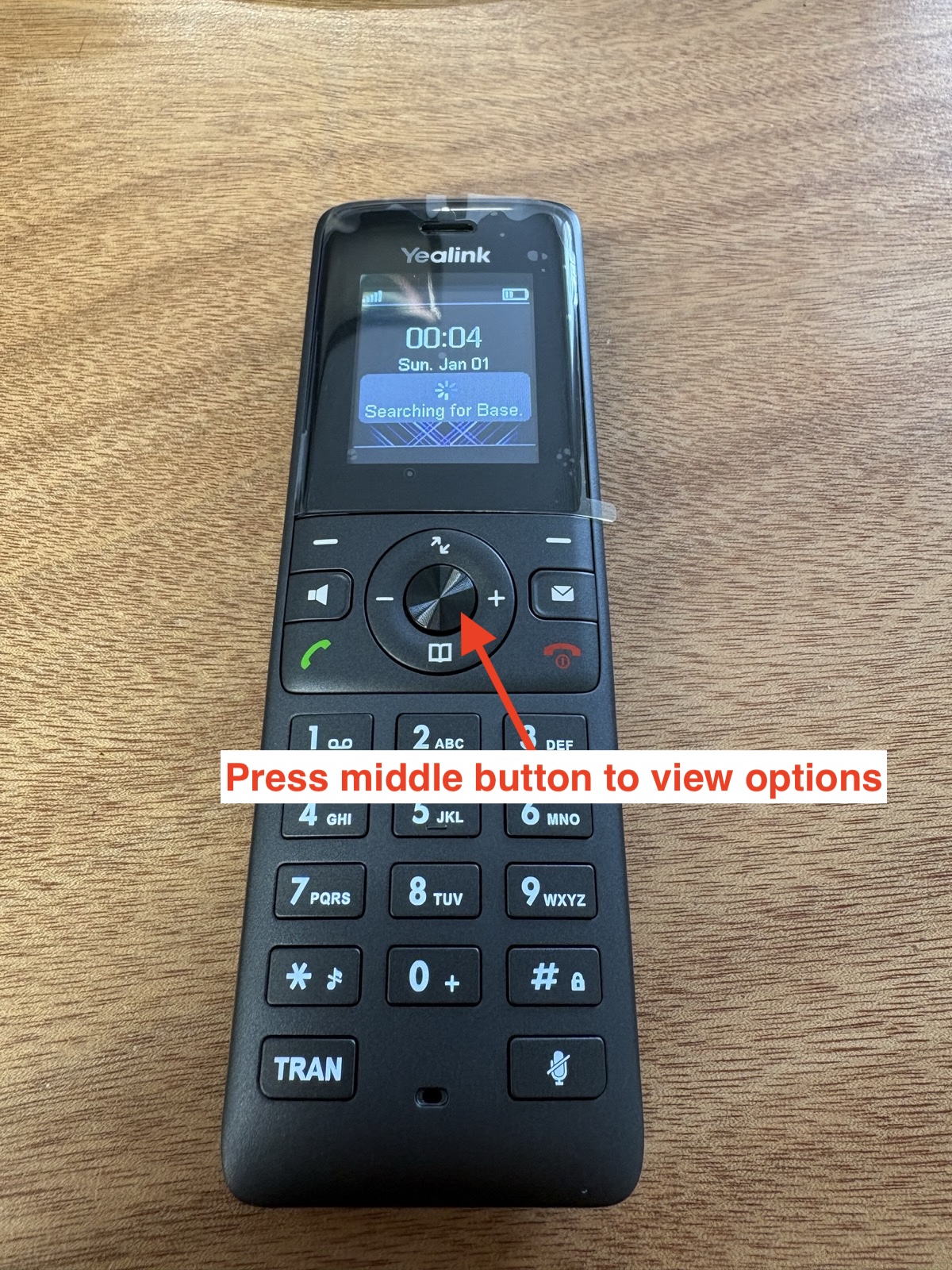
Open the handset menu
On the handset, press the middle button to view the options.
-
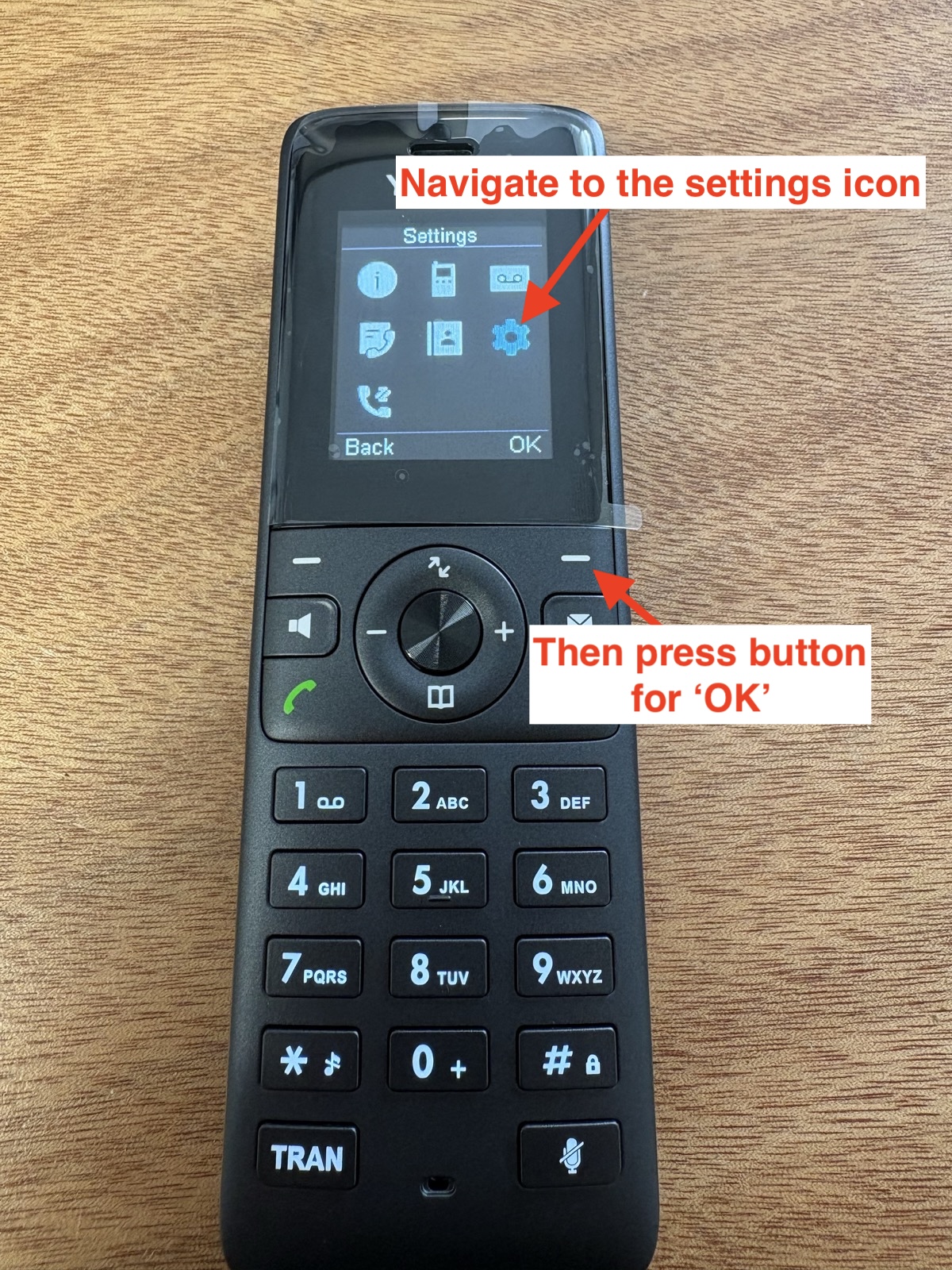
Open Settings
Move to the settings icon, then press OK.
-
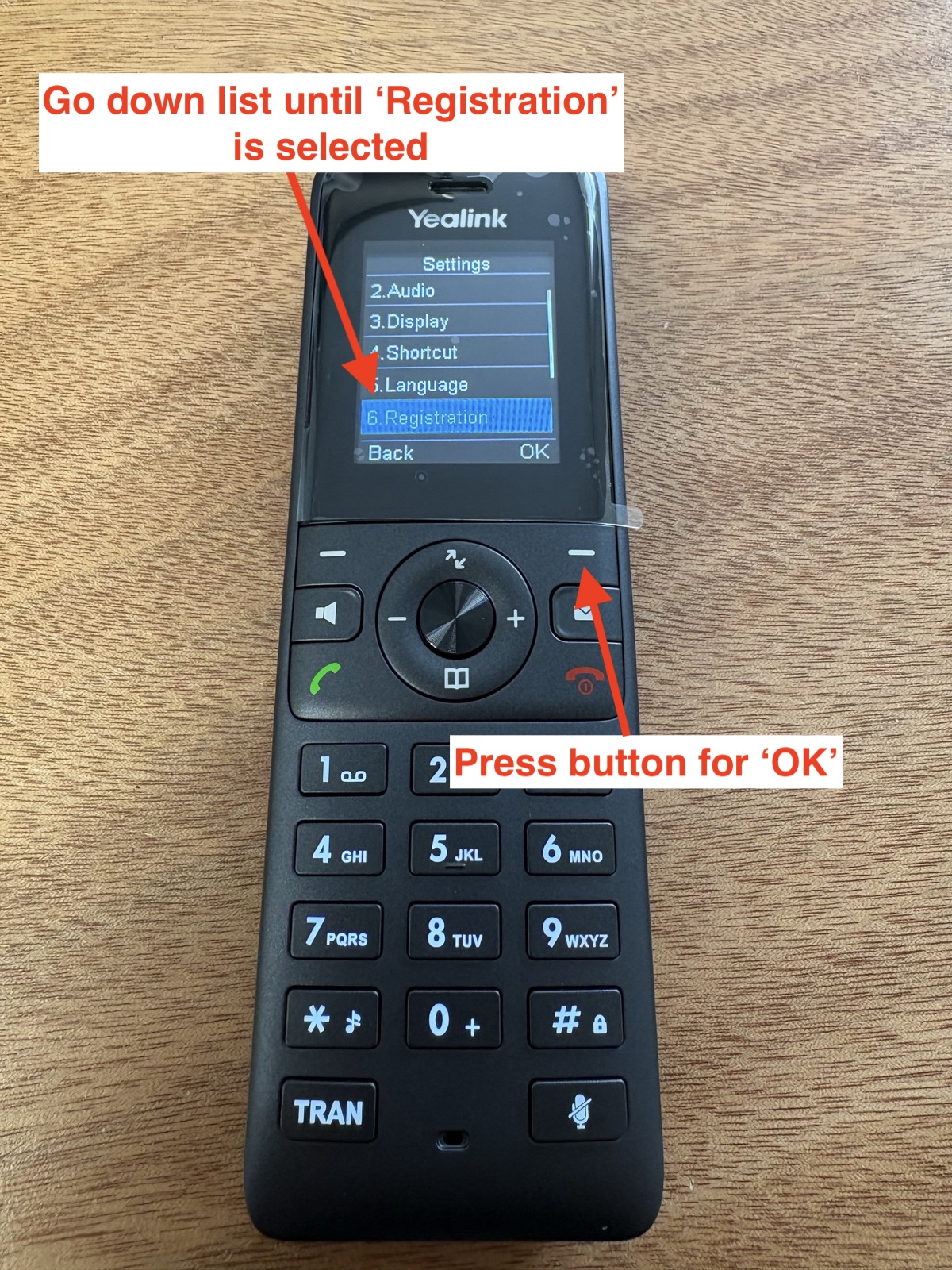
Choose Registration
Scroll down to Registration, then press OK.
-
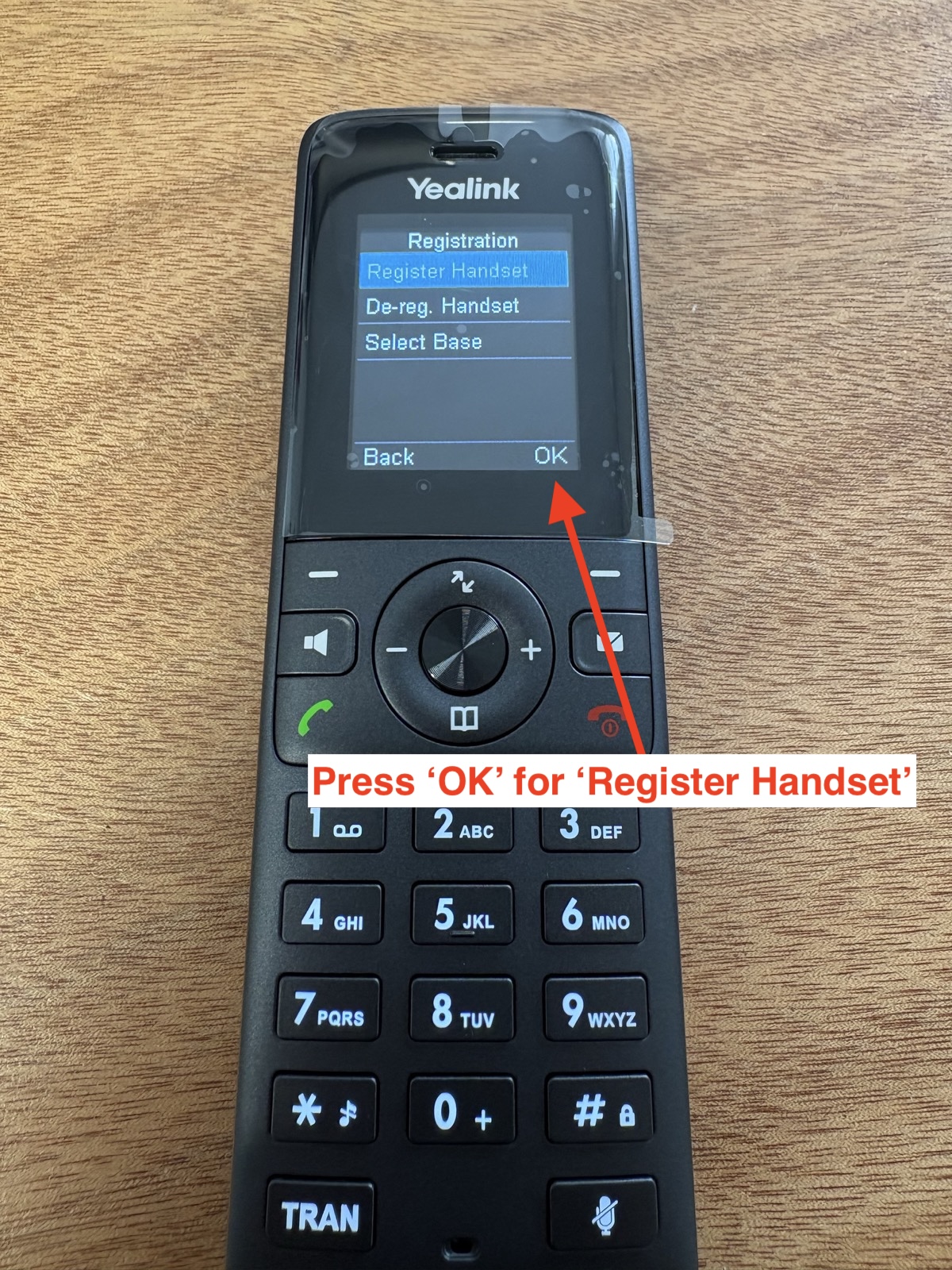
Select Register Handset
With Register Handset highlighted, press OK.
-
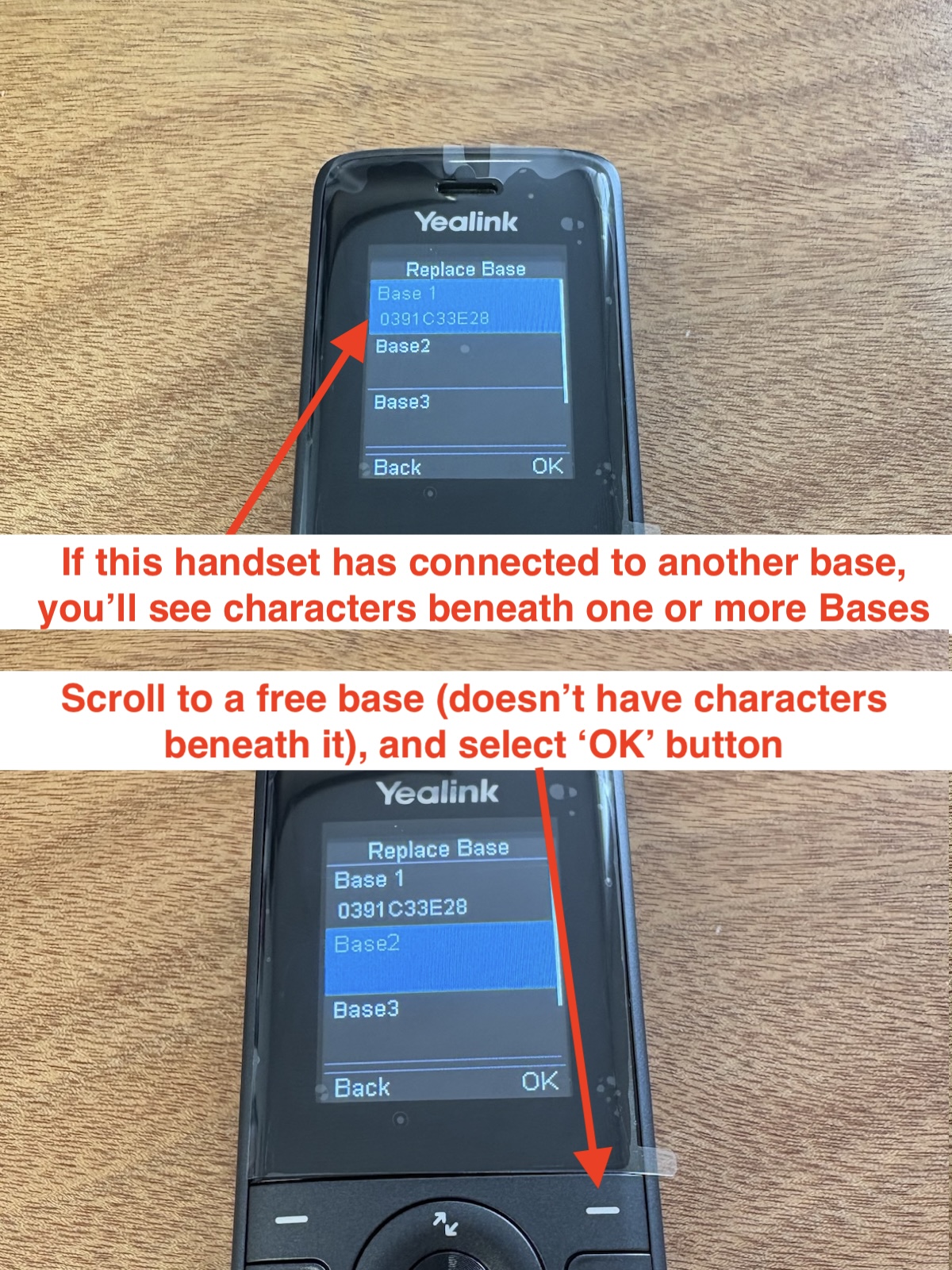
Pick a free base slot
Choose a base slot with no characters underneath it, then press OK.
-
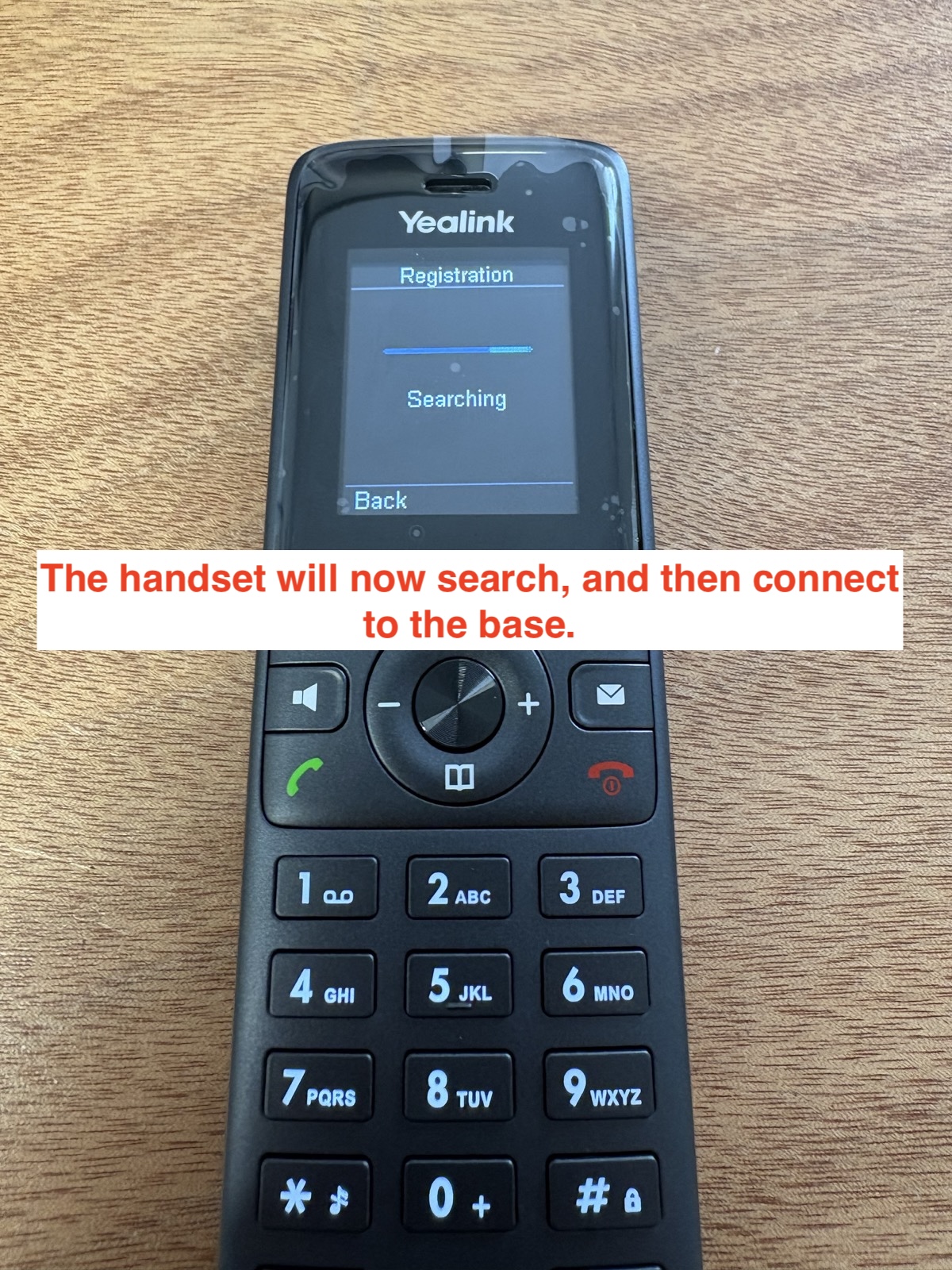
Wait for the handset to connect
The handset will search, then connect to the W70B.
If the handset does not connect
- Keep the handset close to the W70B.
- Put the W70B back into registration mode and try again.
- If the handset was paired before, select a free base slot with no characters underneath it.